
Download SWF Picture Extractor – SWF, Flash, image extractor, extract images from SWF, Flash animation, SWF viewer, SWF tools, Flash image saver, extract SWF images, Flash content
Overview
SWF Picture Extractor is a specialized utility designed for users who need to extract visual assets from SWF (Small Web Format) files. These files, commonly used in Flash animations, often contain embedded images that are not easily accessible through standard web browsing tools. The application provides a straightforward solution for retrieving these images directly from Flash content, making it a valuable tool for designers, developers, and digital archivists. Its primary purpose is to simplify the process of salvaging visual elements from legacy Flash-based websites, games, or presentations.
Target users include professionals working with digital media, educators seeking to repurpose Flash content, and hobbyists interested in preserving or reusing graphical assets from older web animations. The app addresses a niche but persistent need in the digital preservation space, where Flash content remains prevalent despite declining browser support. By enabling direct extraction of images, SWF Picture Extractor helps users maintain access to visual data that might otherwise be lost.
Developed by SWF Tools, the application has been available since 2006, indicating a long-standing presence in the productivity software landscape. Although the developer did not provide additional technical details about the project’s evolution, the continued relevance of the tool suggests a stable and functional core. In today’s ecosystem, where modern formats dominate, SWF Picture Extractor remains a functional option for handling legacy Flash content, especially in environments where full Flash emulation is not feasible.
Key Features & Functionality
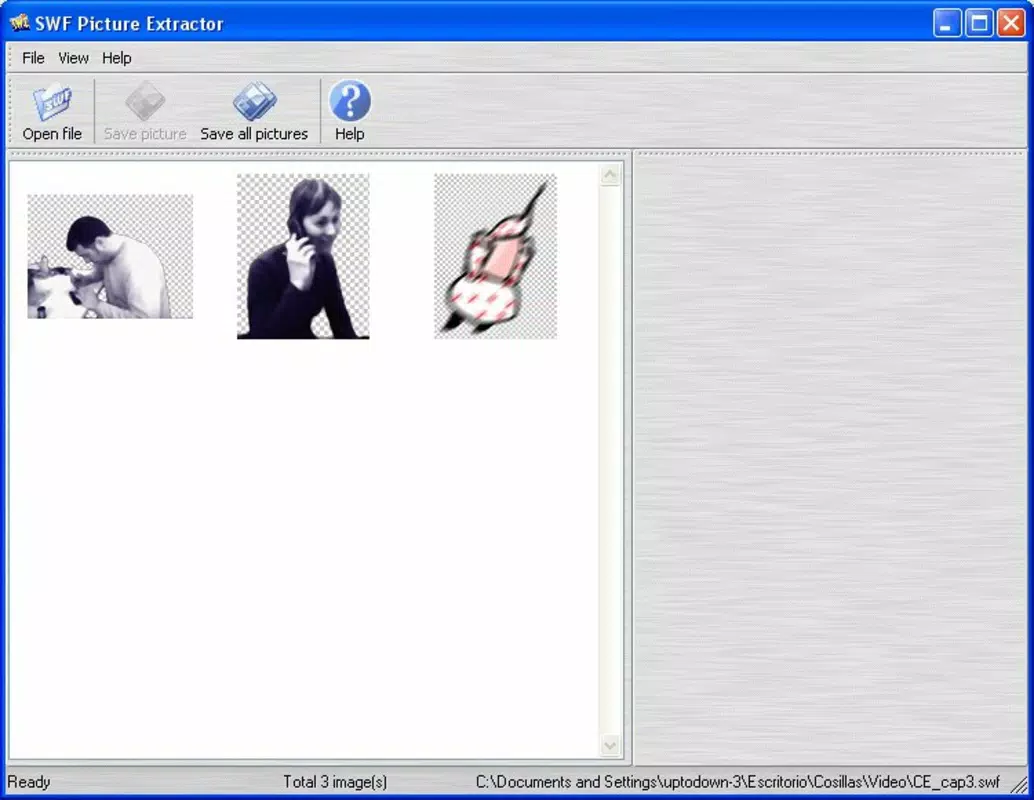
- User-Friendly Interface: The application features a clean layout that allows users to load SWF files and view extracted images without technical complexity. Navigation is intuitive, minimizing the learning curve for new users.
- Image Extraction Capabilities: SWF Picture Extractor analyzes SWF files to identify and extract embedded images, including bitmap graphics and vector-based visuals used in Flash animations.
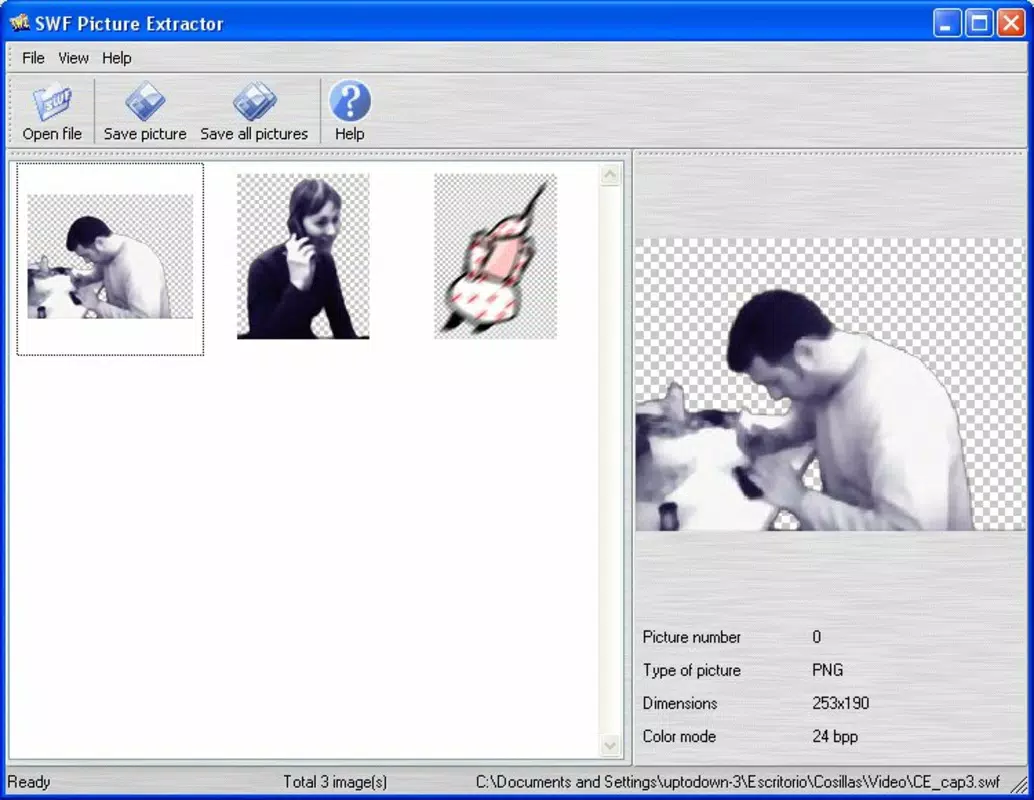
- Detailed Image Information: Each extracted image is accompanied by metadata such as file type, dimensions, and color depth, enabling users to assess quality and suitability before saving.
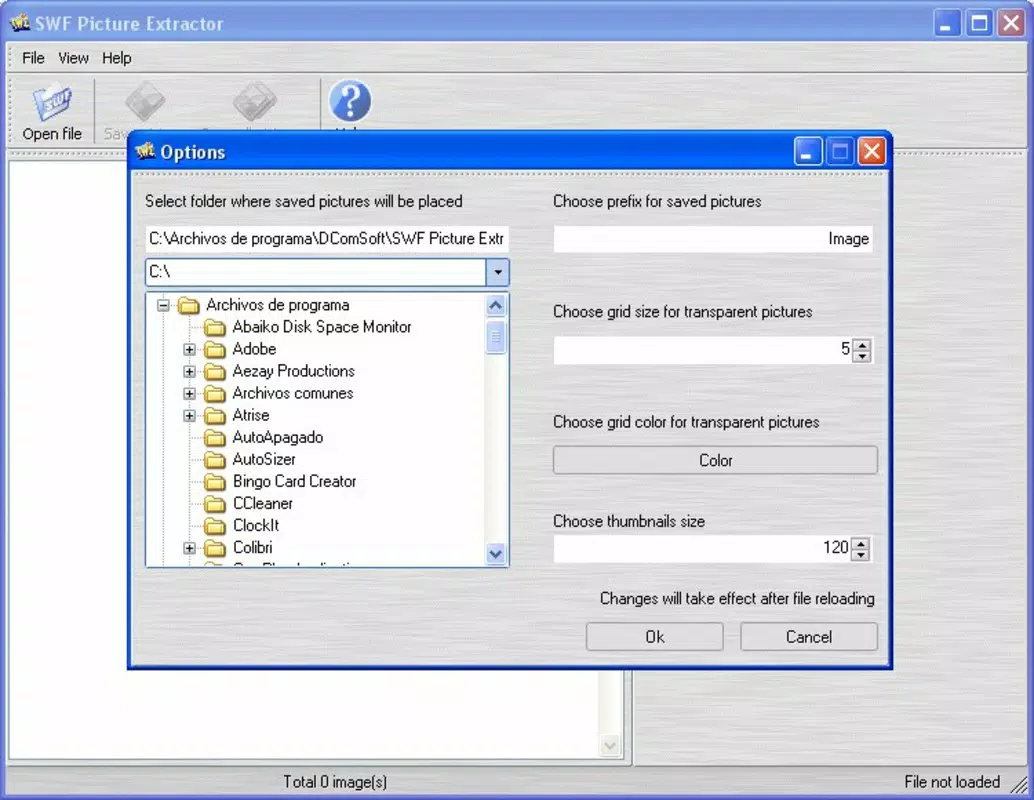
- Batch and Individual Saving: Users can choose to save images one at a time or in bulk, offering flexibility based on workflow needs and storage preferences.
- Effortless File Management: Extracted images are organized within the application’s interface, allowing users to preview, select, and export content directly to their local drive with minimal steps.
For example, a web designer restoring an old Flash-based educational module could use the tool to extract character sprites and background graphics. Similarly, a researcher archiving historical web content may rely on SWF Picture Extractor to recover visual assets from defunct Flash websites. The ability to extract and review images in a single environment enhances efficiency and reduces the need for external tools.
Interface, UX & Performance
The user interface of SWF Picture Extractor is designed with simplicity and clarity in mind. It presents a minimalistic layout focused on core functionality: loading SWF files, viewing extracted images, and initiating saves. The visual style is functional rather than decorative, emphasizing usability over aesthetic flair. Navigation is linear and predictable, with clear buttons for file import, image preview, and export options.
Although the developer did not list formal performance metrics, the application’s small file size of 2.4 MB suggests lightweight operation. It is likely optimized for low-resource environments, making it accessible on older systems. Responsiveness appears to be consistent based on its long-term use, though no specific benchmarks were provided. Stability is implied by its continued availability since 2006, indicating a reliable core engine.
Users can expect smooth interaction when working with moderately sized SWF files. However, performance on very large or complex Flash files may vary, though no details were shared. The application does not appear to require high-end hardware, supporting broad accessibility. Overall, the UX prioritizes task completion over advanced customization, which aligns with its utility-focused design.
Platform Compatibility & Technical Requirements
SWF Picture Extractor is designed for the Windows operating system. The application runs on Windows platforms, though specific OS versions were not listed. The software version is 2.1.0, and the file size is 2.4 MB, indicating a compact footprint suitable for quick installation and minimal storage impact.
The developer did not specify minimum OS requirements, nor did they list compatibility with newer Windows versions such as Windows 11 or Windows 10. Users should exercise caution when installing on modern systems, as older applications may encounter compatibility issues due to changes in system architecture or security policies. No additional dependencies were mentioned.
Despite its age, the tool remains accessible through direct download, suggesting continued support for legacy environments. For users seeking a lightweight solution to extract images from SWF files, the platform availability is sufficient, though broader compatibility across mobile or cross-platform systems is not confirmed.
Pros and Cons
Pros
- Free to download and use, making it accessible to all users.
- Lightweight at only 2.4 MB, ideal for low-storage devices.
- Simple, intuitive interface suitable for non-technical users.
- Supports batch and individual image saving for flexible workflows.
- Provides metadata for extracted images, aiding in quality assessment.
Cons
- Platform limited to Windows; no support for macOS, Linux, or mobile devices.
- Version released in 2006; may lack compatibility with modern Windows security features.
- Developer did not provide information on system requirements or update frequency.
- No cloud integration or advanced export options like file renaming or tagging.
- Not available through official app stores, requiring direct download from third-party sources.
FAQ
Is SWF Picture Extractor safe to download?
The application is free and widely used, but since it is not distributed through official app stores, users should download it from trusted sources to minimize security risks.
Can I extract images from Flash animations on websites?
Yes, SWF Picture Extractor can extract images from SWF files, but the user must first obtain the SWF file from the website, as the tool does not directly access online content.
Does the app support modern Flash files?
The tool was released in 2006 and may have limitations with complex or newer SWF files. Performance may vary depending on the file’s structure and encoding.
Is there a mobile version available?
No, the application is currently only available for Windows. There is no official mobile version for Android or iOS.
How often is SWF Picture Extractor updated?
The developer did not disclose update frequency. The last version available is 2.1.0, released in 2006.
Final Thoughts
SWF Picture Extractor remains a functional tool for extracting images from legacy SWF files, particularly valuable in digital preservation and content recovery tasks. Its lightweight design, free access, and straightforward interface make it a practical choice for users needing a no-frills solution. While its age presents compatibility concerns on modern systems, its core functionality remains intact for basic extraction needs.
Professionals working with archived Flash content, educators, and hobbyists interested in retro web design will benefit most from this utility. For those seeking a simple, secure way to retrieve visual assets from SWF files without relying on complex software, SWF Picture Extractor delivers clear value.
Despite its limitations, the app fills a specific niche in the productivity space. Its enduring presence underscores its reliability for targeted use cases.
Download SWF Picture Extractor now


